









ServicesCustom software
Built around how you work.Web apps, dashboards and internal tools.
We design and build the software your team runs on, from a tool that replaces one spreadsheet to a platform with web and mobile apps.
Email admin@mastersoftware.io. A team member will respond within 24 hours.
Simple to serious
From one spreadsheetto a whole platform.
Start where you are. Each level builds on the one before, so a small tool can grow into a platform later.
Replace a spreadsheet
An internal tool for one job
- Forms and tables your team fills in
- Search, filters and exports
- Sign-in for your staff
Customer portal
Customers help themselves
- Customer accounts
- Status, documents and invoices
- Requests and messages
Operations platform
Run the whole day from one place
- Scheduling and dispatch
- Jobs, estimates and invoicing
- Reports for the office
SaaS product
Software you sell to other businesses
- Subscriptions and billing
- Teams, roles and permissions
- An admin panel to run it
Multi-app ecosystem
Web, mobile, integrations and AI
- A web app plus iPhone and iPad apps
- Stripe, QuickBooks Online and HighLevel
- AI inside the daily workflow
Like LightMaster
What we build
Everything a business system needs.
Twelve building blocks, put together differently for every client.
Dashboards and reporting
The numbers that matter on one screen, from sales this month to jobs in progress.
CRMs and pipelines
Leads, customers and deals in one place, with the stages your sales process already uses.
Customer portals
A place for customers to sign in, check status, pay and send files.
Scheduling and dispatch
Calendars, routes and crew assignments, with the day's jobs on every phone.
Payments and invoicing
Invoices, deposits, card payments and payouts, built on Stripe.
Accounting sync
Customers, invoices and payments flow into QuickBooks Online, so nobody types them twice.
Documents and e-signatures
Estimates, contracts and reports filled from your data, then signed online or in person.
Roles and permissions
Owners, office staff, crews and customers each see what they need and nothing else.
Automations and scheduled jobs
Reminders, follow-ups and nightly tasks that run on their own.
APIs and integrations
Connections to HighLevel and the other tools you already pay for, plus an API of your own.
Data migration
Your spreadsheets and old systems moved in, with totals checked against the originals.
Admin panels
Screens to manage users, settings and data without calling a developer.
One system.Every seat.
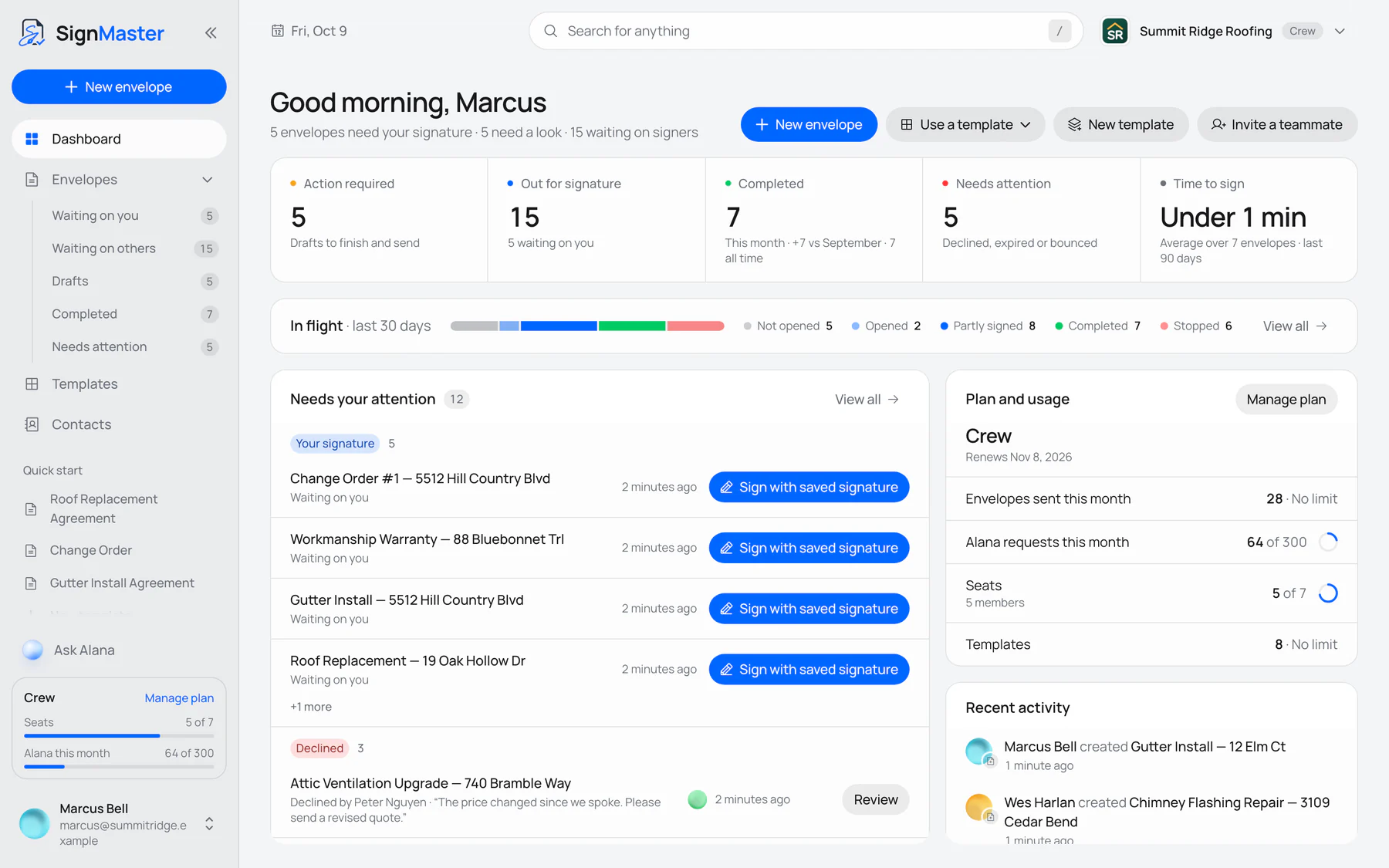
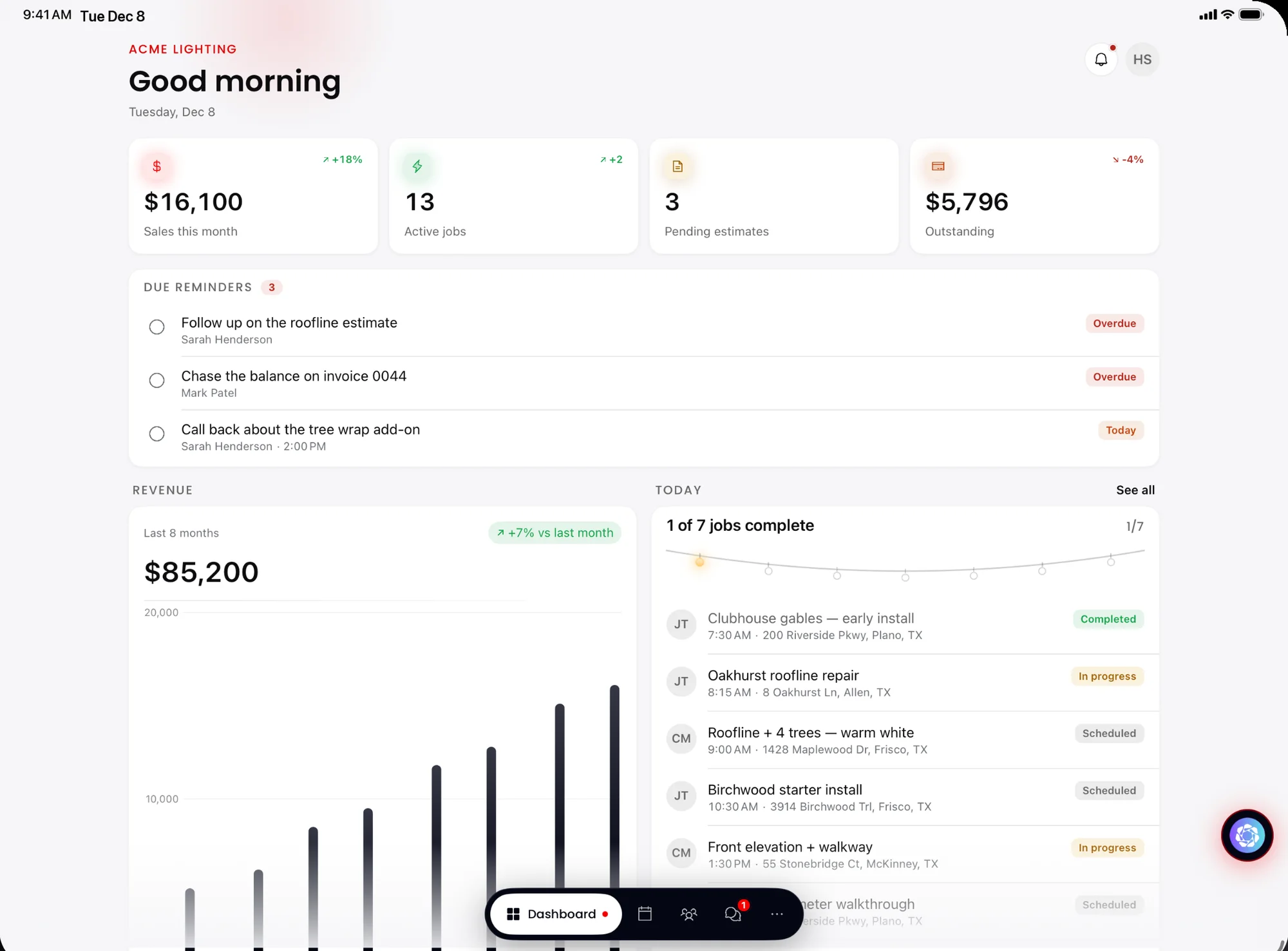
Good business software fits everyone who touches it. These are real screens from software we've built for the office, the crew and the customer.
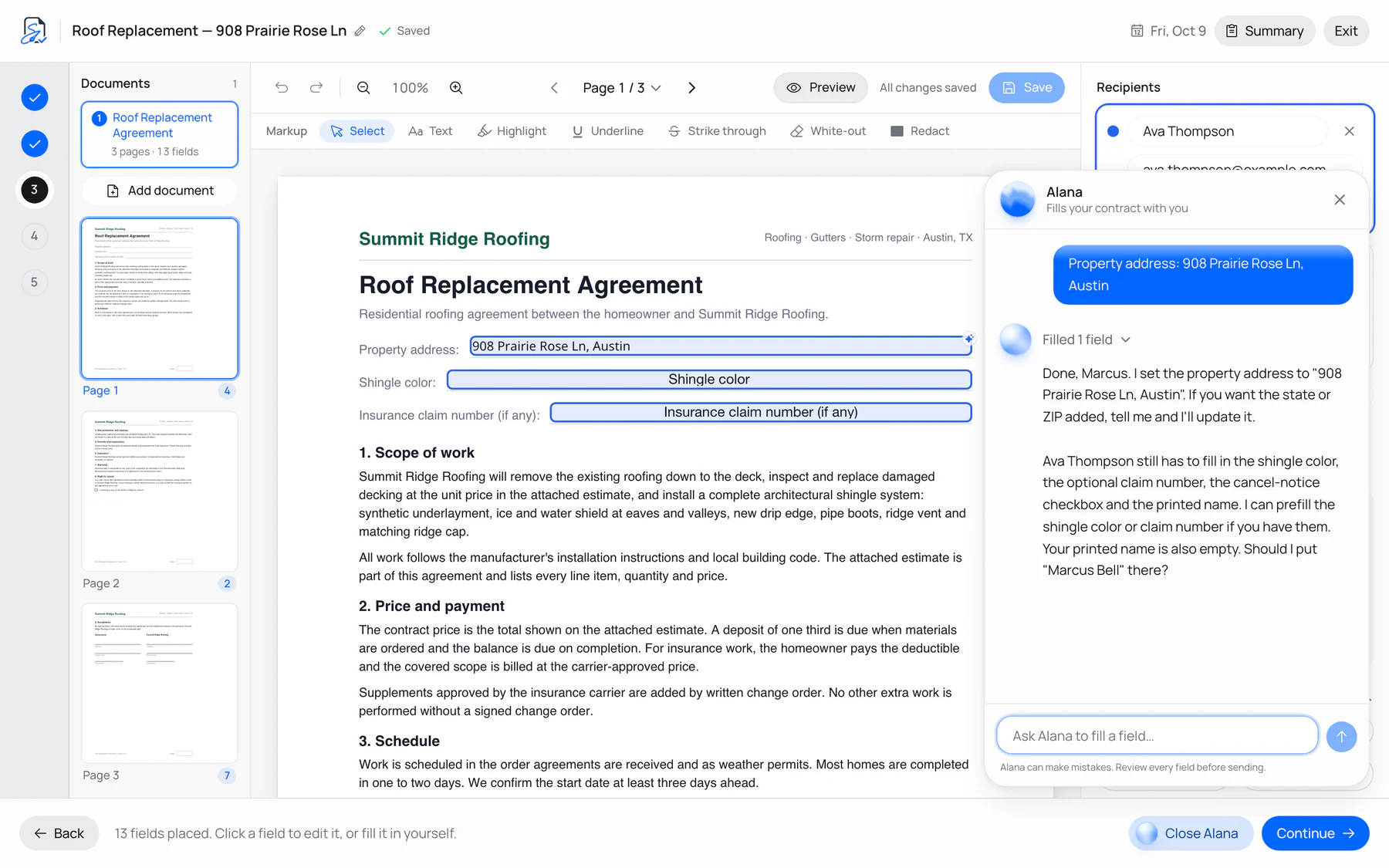
The office
Contracts filled in for you.
SignMaster on the web. Alana, its AI assistant, drafts the contract from a few details.
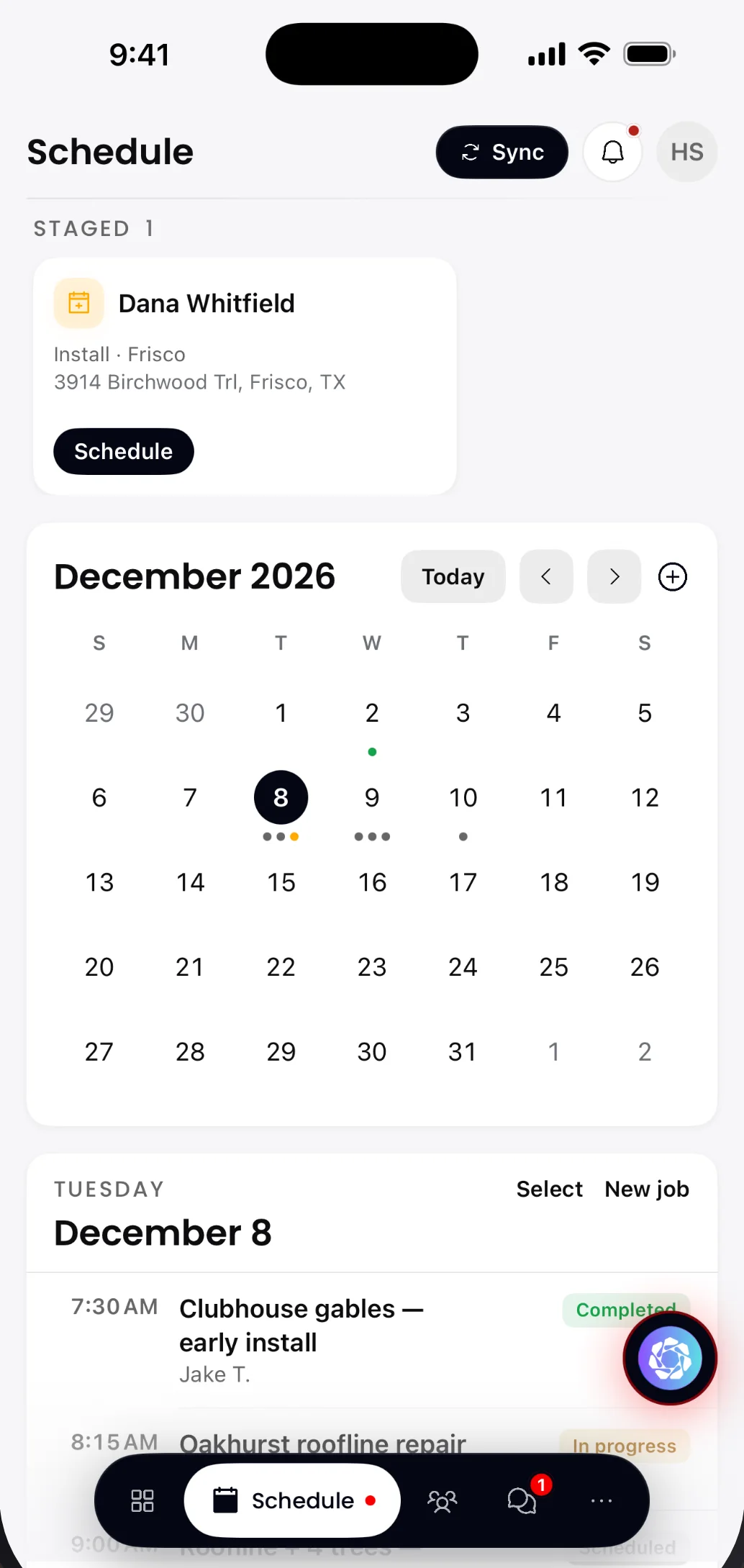
The crew
Today's installs on every phone.
LightMaster on iPhone. The install schedule goes wherever the crew goes.
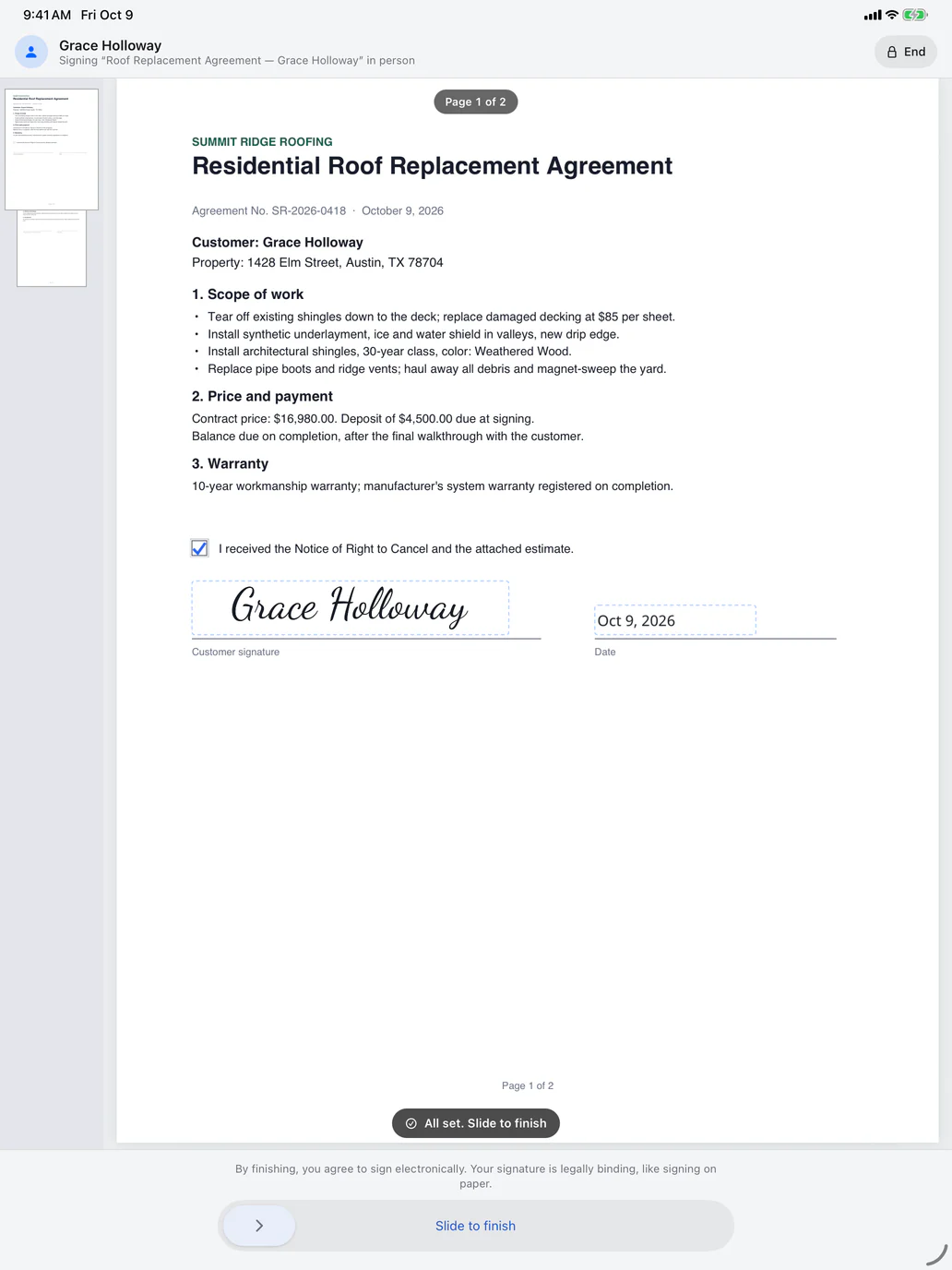
The customer
Signed in person, on iPad.
SignMaster on iPad. The homeowner signs at the table, and the copy is saved with its audit trail.
Under the hood
The hard part,already built.
A platform is more than screens. This is the system that runs LightMaster, counted from its own codebase.
LightMaster's backend
Live- Web app
- iPhone
- iPad
Data
- PostgresRow-level security
- AuthOffice and crew roles
- StoragePhotos and PDFs
Connected
- StripePayments and payouts
- QuickBooks OnlineInvoices and deposits
- HighLevelMarketplace app
- Commitsin its git history
- 4,000+
- Source filesTypeScript and React
- 2,300+
- App updatessince the September launch
- 6
Counted from LightMaster's codebase on October 9, 2026. App updates from its App Store version history.
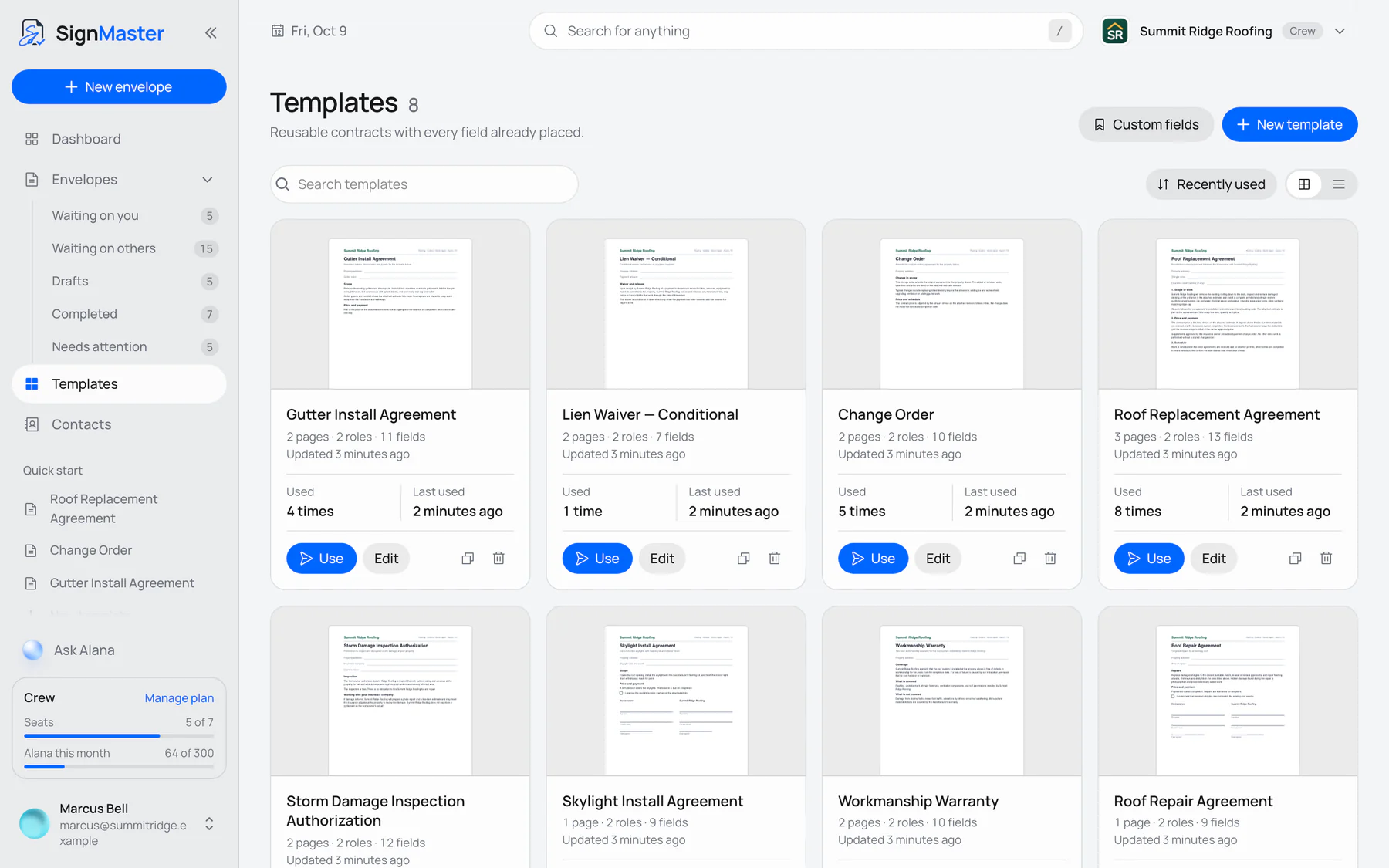
 SignMasterE-signatures with an AI assistant
The paperwork,built in.
Contracts become templates with every field already placed. Customers sign online or in person, and each signed copy keeps its own record of who signed and when.
- Templates with fields placed
- Filled in by Alana, its AI assistant
- Audit trail and certificate
How it works
From first call to launch.
Five steps, with something real to look at after each one.
- 01
Discovery
We learn how your team works today, what slows it down and what the software has to do.
- 02
Written plan and quote
Screens, features, timeline and price in writing, before any work starts.
- 03
Design
Clickable designs of the key screens. You approve them before we write code.
- 04
Build in weekly milestones
Every week there's a working build for you to try, so feedback lands early.
- 05
Launch and support
We move your data in, help your team get started and stay on for what's next.
Questions? Answers.
How much does custom software cost?
It depends on the scope. A tool that replaces one spreadsheet costs far less than a platform with mobile apps. After a short call we send a written plan and quote, so you know the price before any work starts.
How long does it take?
A focused internal tool can take a few weeks. A full platform with web and mobile apps takes months. Your written plan has the timeline, and you try a working build every week along the way.
Who owns the code?
You do. Ownership is written into the plan, and the code lives in a repository your company controls, so you can bring in any developer later.
Can it connect to the tools we already use?
Usually, yes. We've built Stripe, QuickBooks Online and HighLevel integrations into LightMaster and connected SignMaster to Claude and ChatGPT. If a tool has an API, we can connect to it.
Where is it hosted?
We can host it on modern platforms like Vercel and Supabase or deploy to a cloud you already use. Either way, hosting and its monthly cost are spelled out in your plan.
Do you help after launch?
Yes. We handle hosting, fixes and new features for as long as you want us to. LightMaster Mobile, for example, has shipped six updates since its September 21 launch.
Let's build yours.
Tell us what your team does today and what slows it down. A team member will respond within 24 hours.